01
Choose your exam board
Pick the board that matches your course first.
Use one exact topic from Save My Exams, then let SME Searcher open the PDF directly or run a targeted PDF search for you.
Pick the board that matches your course first.
Only use the level that matches that board.
Type the exact topic wording you see on Save My Exams.
If a direct PDF is already indexed, it opens. If not, use the green Search Notes card to run the targeted PDF search.
Use the Save My Exams path first, then copy the specific topic wording into SME Searcher.
Example path: IGCSE → Biology → Edexcel → Revision Notes
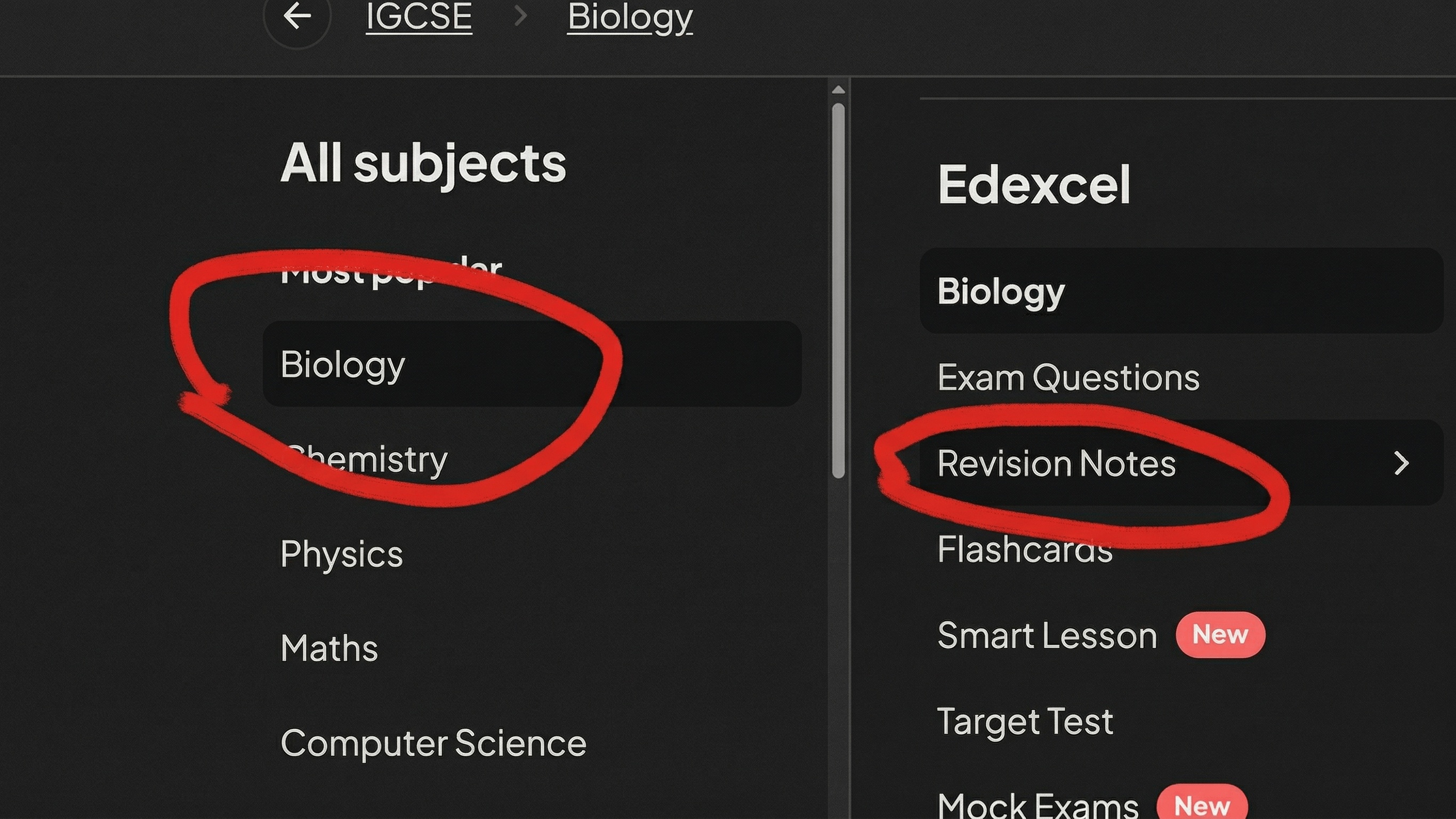
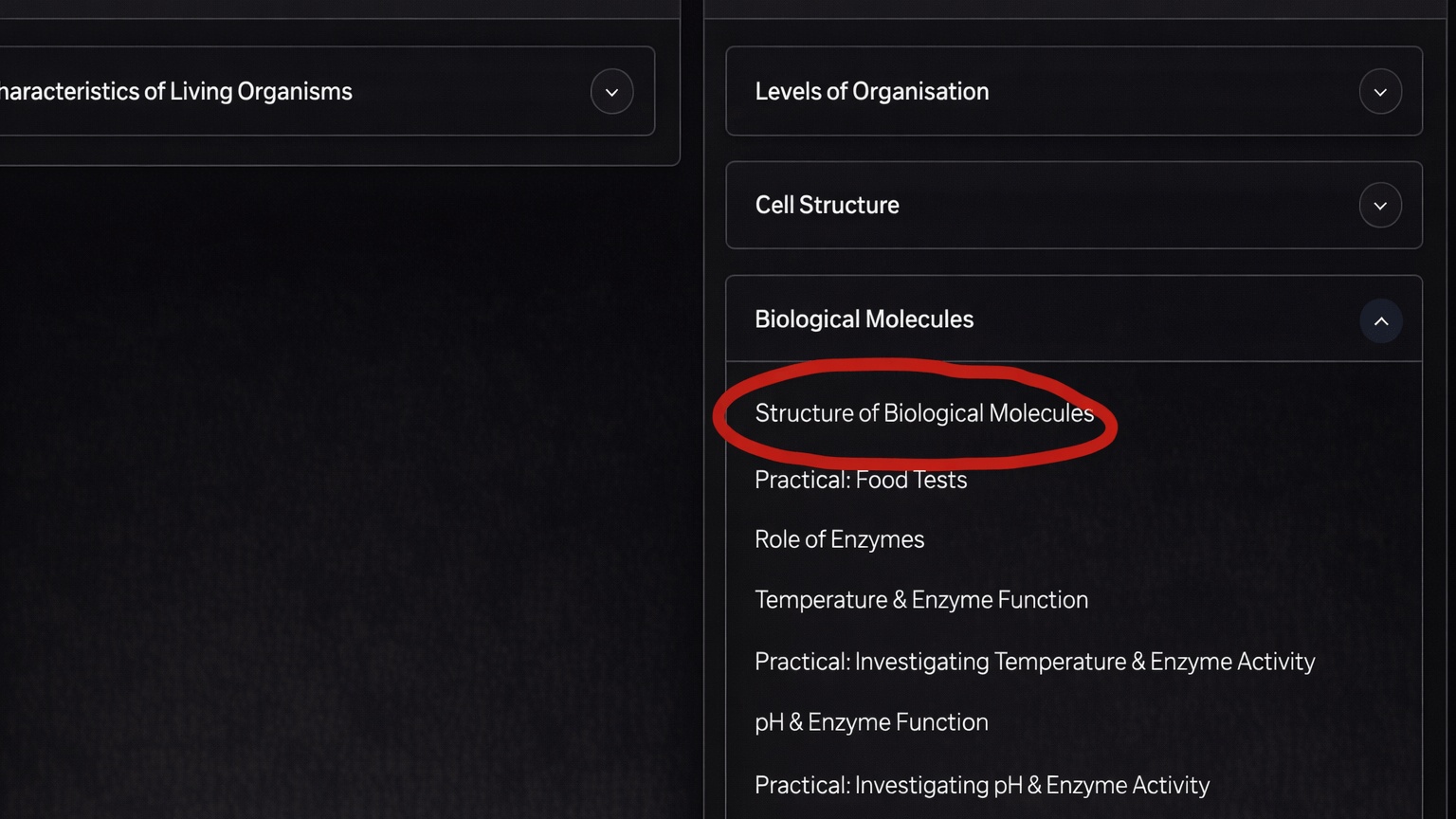
In this example, the topic to search is Structure of Biological Molecules.
Use the first exact subtopic name shown first for the best and most accurate results. If that does not work, try the broader topic heading instead, for example Biological Molecules. If that still does not work, try the other subtopics listed in that same section.
Choose Edexcel, IGCSE, enter Structure of Biological Molecules, then press Find Notes.
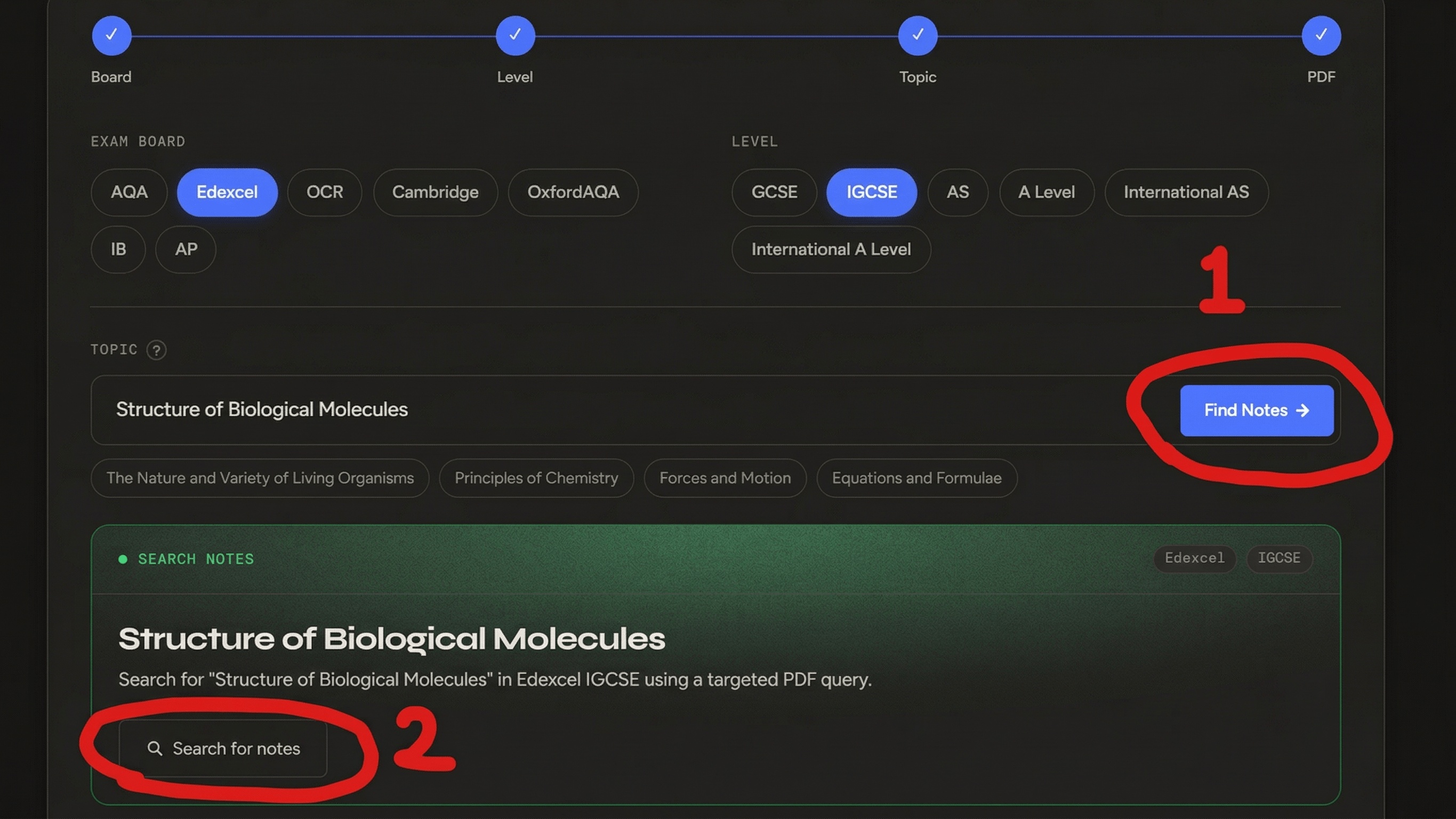
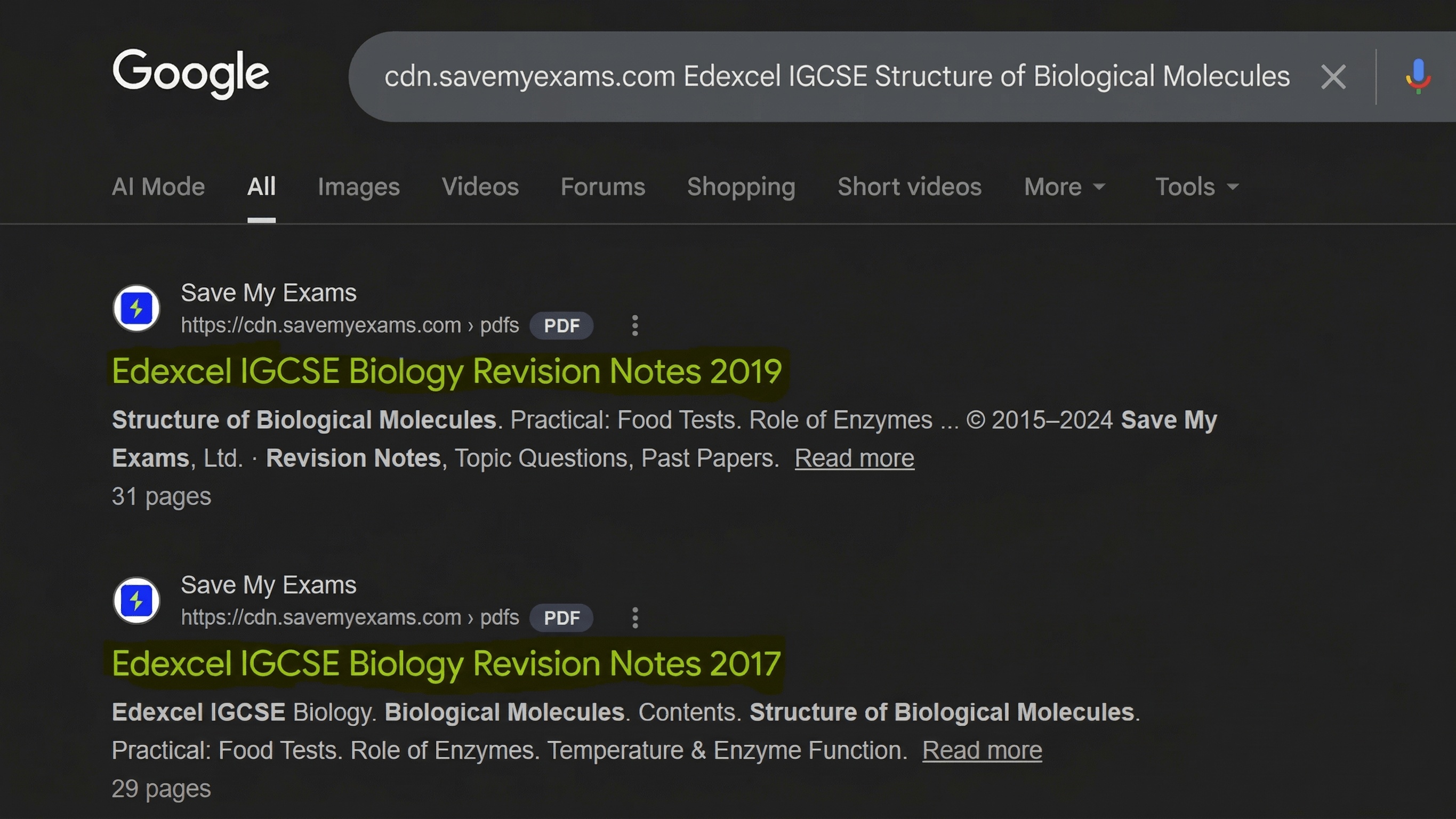
If the green fallback card appears, press Search for notes to open the targeted Save My Exams PDF results.
If Save My Exams shows a more specific topic inside a larger chapter, use that exact wording in SME Searcher.
Use: Structure of Biological Molecules
That usually means there is an updated version. Go for the newer one because it tends to match the latest syllabus content.
AQA, Edexcel, OCR, Cambridge, OxfordAQA, and IB. IB uses SL or HL, and IB Maths can optionally use AA or AI.